RCWeb Viewer
The RCWeb Viewer (app/v) is designed to be the main display client in an RCWeb room. It is meant to be run on a shared display, such as a TV, projector, monitor, or kiosk browser, and waits for commands from a controller app like v-c.
Features
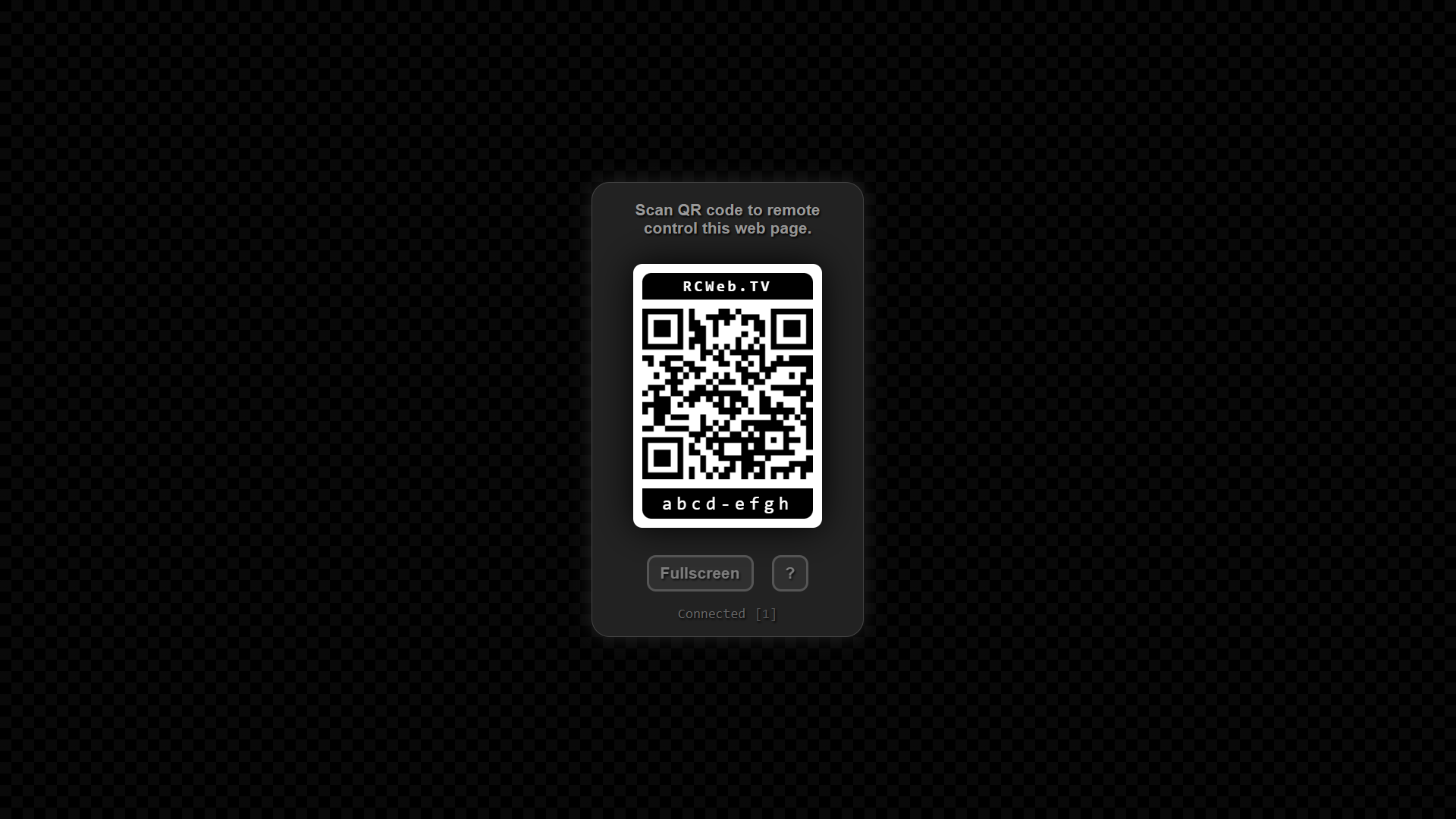
- A room welcome screen with a QR invitation.
- Remote media, web content and app launching from a phone.
- Fullscreen and visible connection status.
Screenshot
How to use
- Open
/v/(or/v/?r=<room>) on the device you want to use as your shared display (e.g., a TV or laptop connected to a projector). - The screen will show a QR code and a room connection status.
- Use a smartphone or tablet to scan the QR code. This will automatically open the Remote Controller (
v-c) app on your device, joined to the exact same room. - From the mobile controller, you can now push media, web embeds, or launch other apps directly onto the shared display.
- If the viewer is idle for a long period, its UI will slowly drift around the screen to keep the overlay moving.
Related app
Use this app with the RCWeb Remote Controller (app/v-c).