RCWeb Resolution Test
Size helps test the resolution, aspect ratio and pixel density of your display.
Features
- Live screen and viewport diagnostics.
- 4K, 1080p and 720p line patterns.
- A quick check for scaling and aspect-ratio problems.
Screenshot
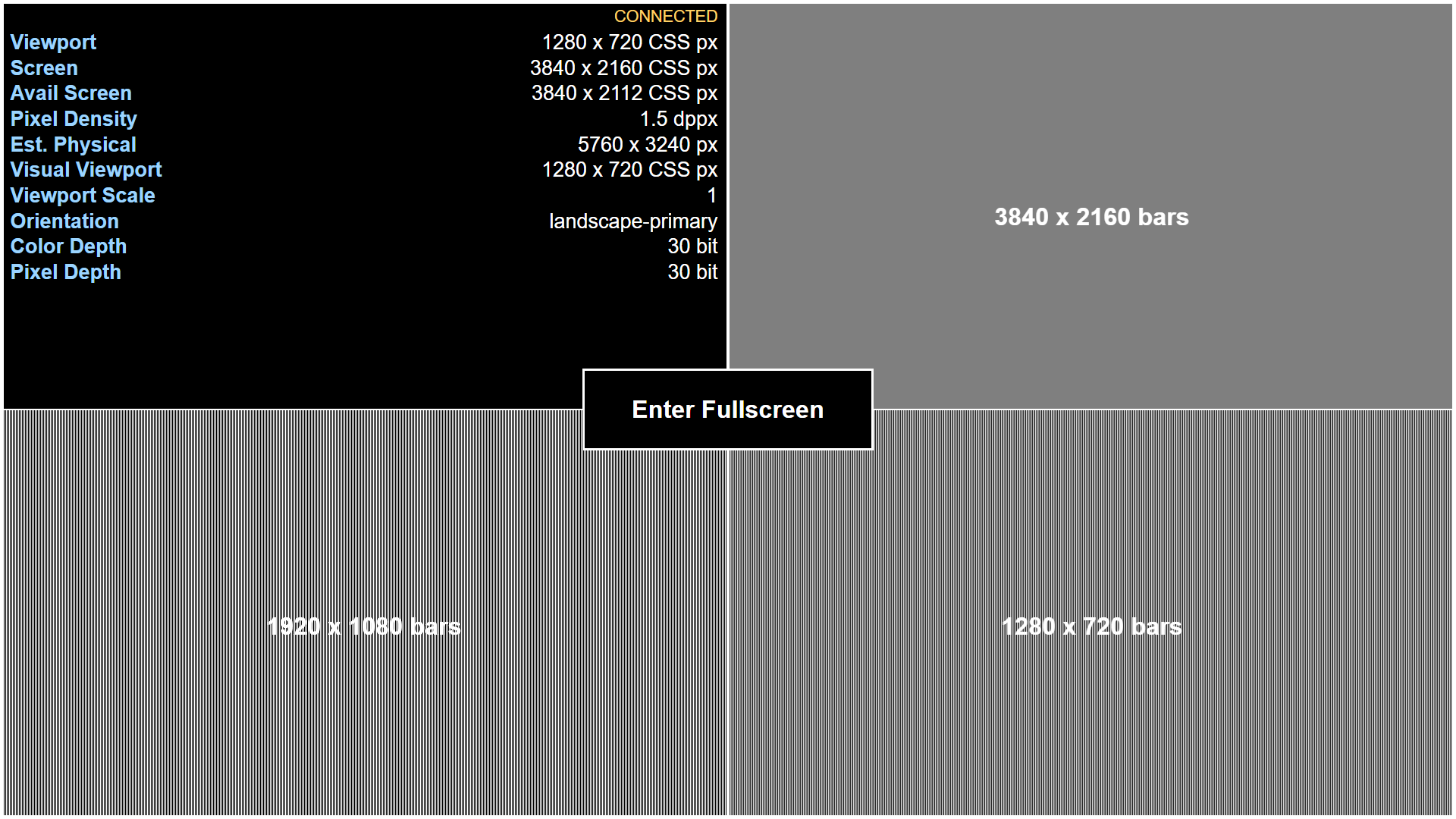
The screen is divided into four equal parts, each representing a viewport-sized quarter. The top left quarter shows live screen and viewport diagnostics. The other 3 quarters display 16:9 images of vertical bars. The bars alternate between black and white and are arranged in such a way that they will only be fully visible at native 4K (3840x2160), 1080p (1920x1080) and 720p (1280x720) resolutions respectively.
- Top right: These bars will only be fully visible at native 4K (3840x2160) resolution.
- Bottom left: These bars will be visible on 1080p screens.
- Bottom right: The bottom right bars will be visible on 720p screens.
If there are borders around the bars, the browser is not at 16:9. If the bars are not clearly visible, for example if they are a gray or have moiré patterns, the browser is not at the native resolution for that image.
How to use
Open Resolution Test on the display you want to check. Compare the patterns at your usual zoom and fullscreen settings, then inspect the reported viewport and pixel density. Scaling, browser zoom and display processing can affect the appearance of the bars.