Drums
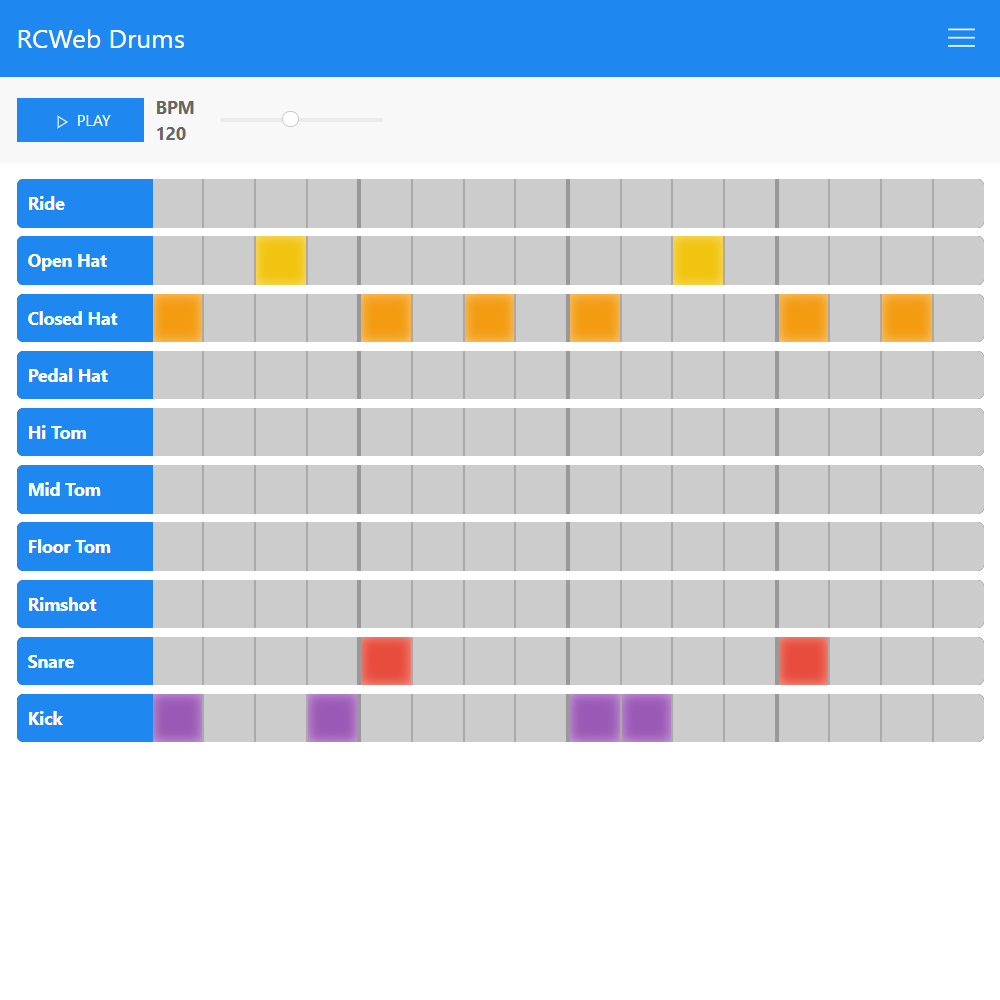
Build a beat together on a shared 16-step drum sequencer. Everyone in the room can change the pattern and tempo, then listen on their own device or divide the kit across several screens.
Features
- A 16-step grid with ten drum instruments.
- Shared pattern and tempo changes.
- Genre presets for a quick starting point.
- Sync to coordinate playback starts and Split to divide instruments between devices.
Make a beat
- Open Drums on each participating device using the same room link.
- Tap grid cells to turn drum hits on or off.
- Adjust BPM, choose a preset if desired, then press Play.
- Allow sound on each device by interacting with its page if the browser requires it.
Pattern and preset changes affect everyone in the room. A preset replaces the current pattern.
Play together
Use Sync when you want devices to coordinate playback. Network and browser timing can still produce audible differences; it is not a guarantee of perfectly synchronized speakers.
Split assigns different instruments to the connected devices, so each plays only its part of the kit. Keep all participating pages open and use the same room.
Screenshots