RCWeb Symbol Snap
Symbol Snap is a fast shared-screen spotting game for RCWeb. The big screen shows one card full of symbols, every phone shows another card, and everyone races to find the single symbol that appears on both.
It is designed for instant party play: put the display on a TV, projector, laptop, or large monitor, let players scan the QR code, and the round is live as soon as phones join the room. There is no turn order, no setup ceremony, and no waiting for a full table. See the match, tap first, score.
Features
- Find the single symbol shared by the display and phone cards.
- One point for the first correct answer.
- Five-second lockouts for incorrect guesses.
Screenshot
The Game
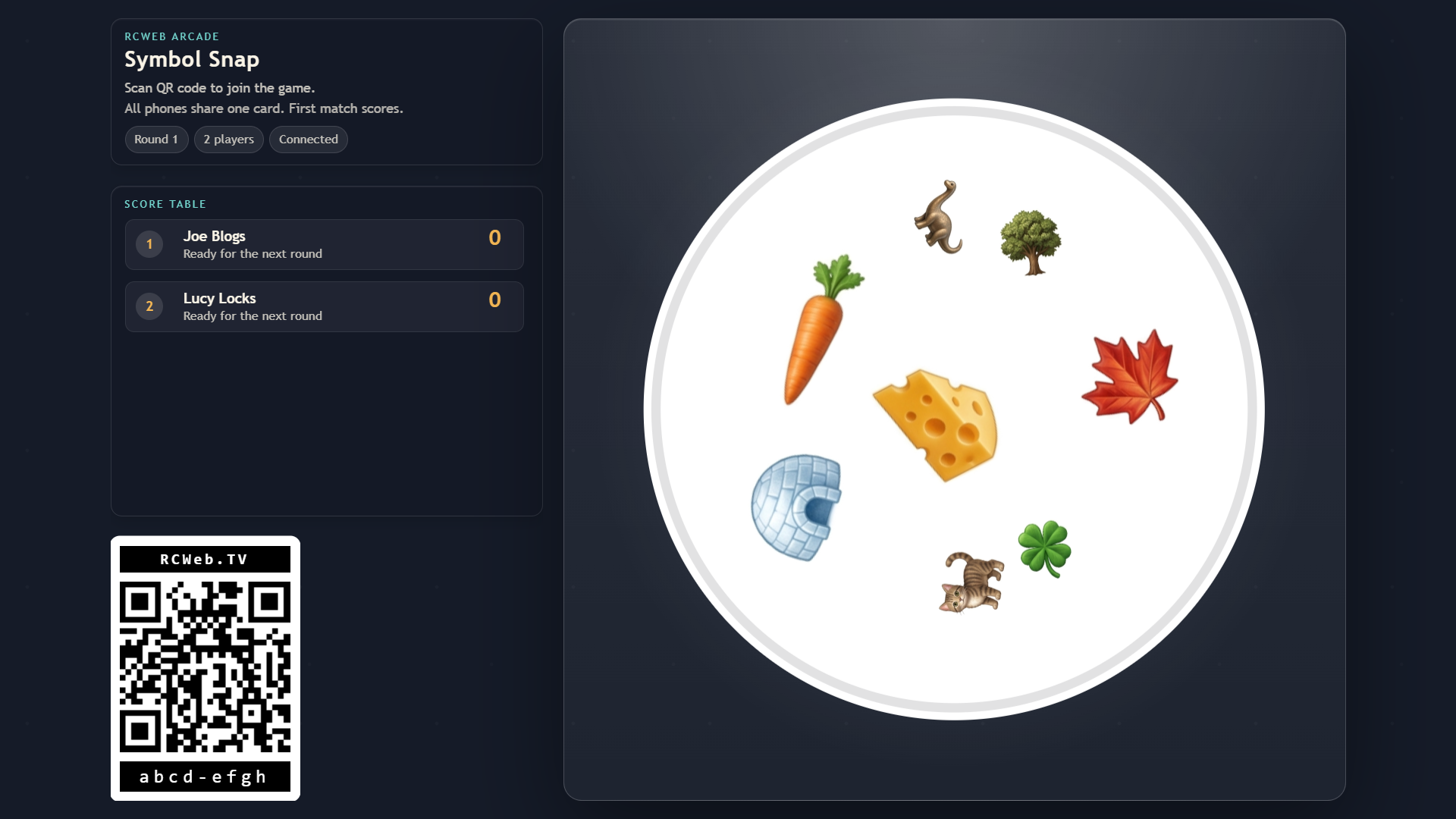
Symbol Snap is built around one simple promise: any two cards have exactly one symbol in common. Each round, the display gets one eight-symbol card and every phone gets the same second eight-symbol card. The symbols are rotated, scaled, and arranged differently each time, so the match is visible but never automatic.
The display keeps the room lively with the current card, winner reveal, score table, room code, QR join link, and network status. Phones stay focused on the player action: choose a name, study the phone card, and tap the symbol that also appears on the big screen.
How To Play
Open /symbol-snap/ on the shared screen. Players scan the QR code to open /symbol-snap-c/ on their phones in the same room. New players can join at any time and start on zero points.
When a round starts, compare the display card with the card on your phone. There is always exactly one matching symbol. Tap that symbol on your phone before anyone else finds it.
The first correct tap wins the round and scores 1 point. Symbol Snap highlights the shared symbol, updates the scoreboard, then deals a fresh pair of cards after a short pause.
Wrong guesses matter. If you tap a symbol that is not the match, your phone is locked out for 5 seconds before you can guess again. That keeps the race quick, but rewards careful spotting over random tapping.
The session can run as long as you like. The scoreboard ranks players by score and highlights the leader, so the group can play a short burst, a long race, or simply keep the table running while people drop in and out.