Screensaver Controls
Phone-first controller for /screensaver/.
Features
- Choose an animation and colour palette.
- Adjust motion speed and intensity.
- Select low-power display mode.
Screenshot
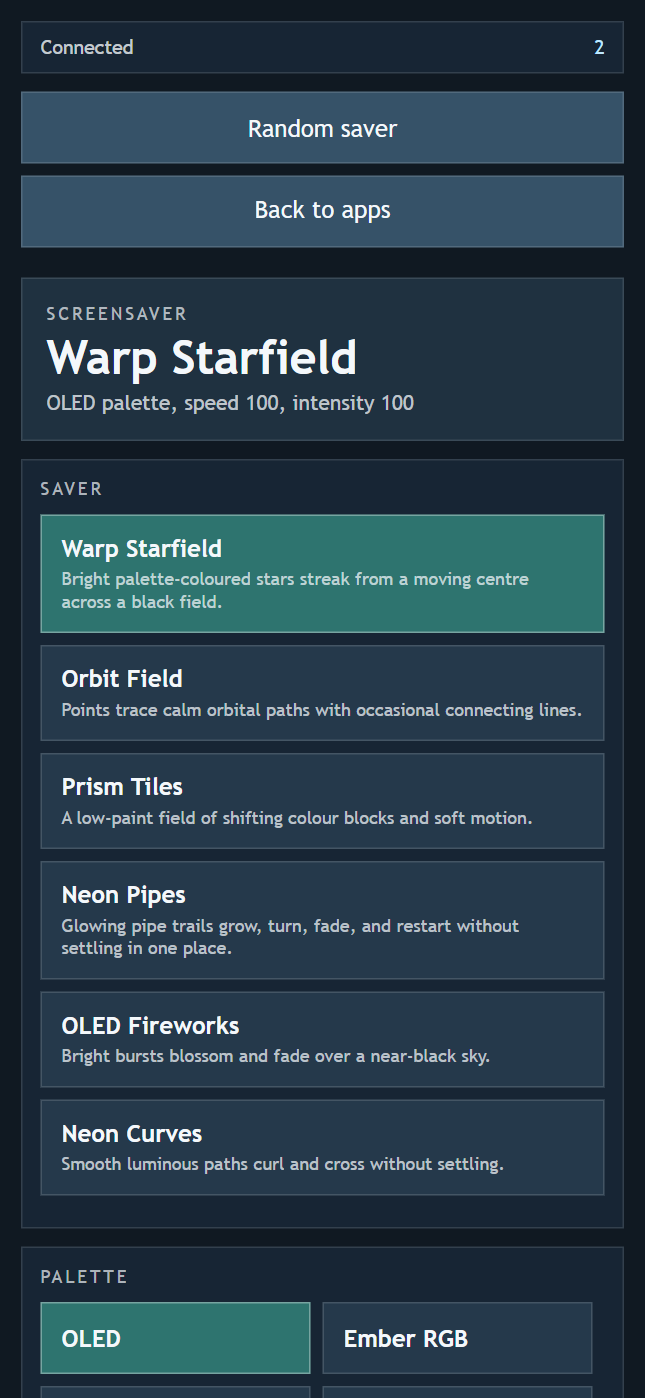
Use this app to select the active screensaver, palette, motion speed, animation intensity, and low-power display mode.
Connect
Scan the QR code on the Screensaver display, then select and tune its animation. Keep both screens in the same room.