RCWeb NASA APOD Control
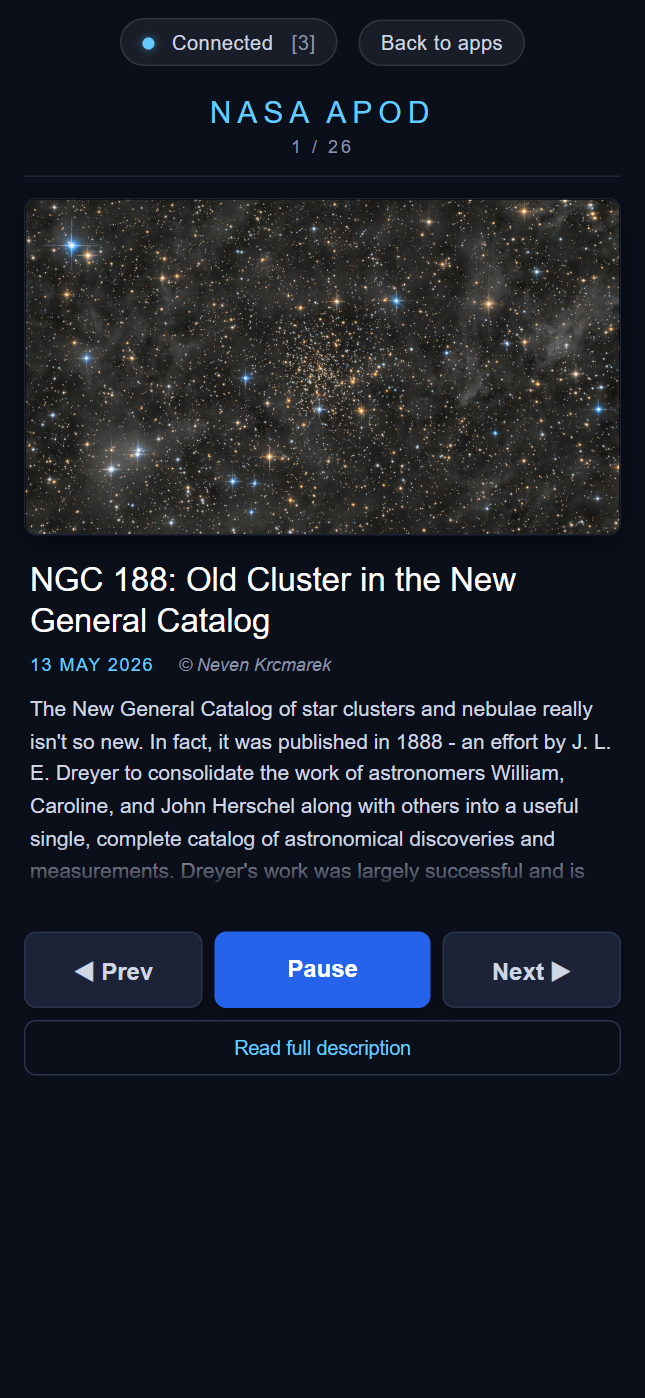
NASA APOD Control is the phone-friendly companion to the nasa-apod viewer. It lets one or more phones in a room cycle through the slideshow, pause and resume the auto-advance, and read the full NASA-supplied explanation for whichever image is currently on screen.
Screenshot
Features
- Shows a thumbnail of the current slide
- Shows the title, date and copyright
- Shows a short, expandable description, with a "Read full description" button that opens the full NASA explanation in a clean reader view
- Three big touch buttons: Prev, Play / Pause, Next
- Keyboard arrows / space bar work too when the control is open in a desktop browser
Join and browse
Scan the QR code on the NASA APOD display. Use Prev, Play/Pause and Next to choose an image, then Read full description for its explanation. Keep the display open in the same room.