RCWeb JScreenFix
Display a small, rapidly changing colour pattern over a suspected stuck pixel, with phone controls for positioning it on a TV or monitor. The pattern is intended as a pixel-fixing aid; it may not resolve the fault.
Features
- A movable animated colour window.
- Phone positioning for screens without a mouse.
- Background colours to help locate unusual pixels.
Screenshot
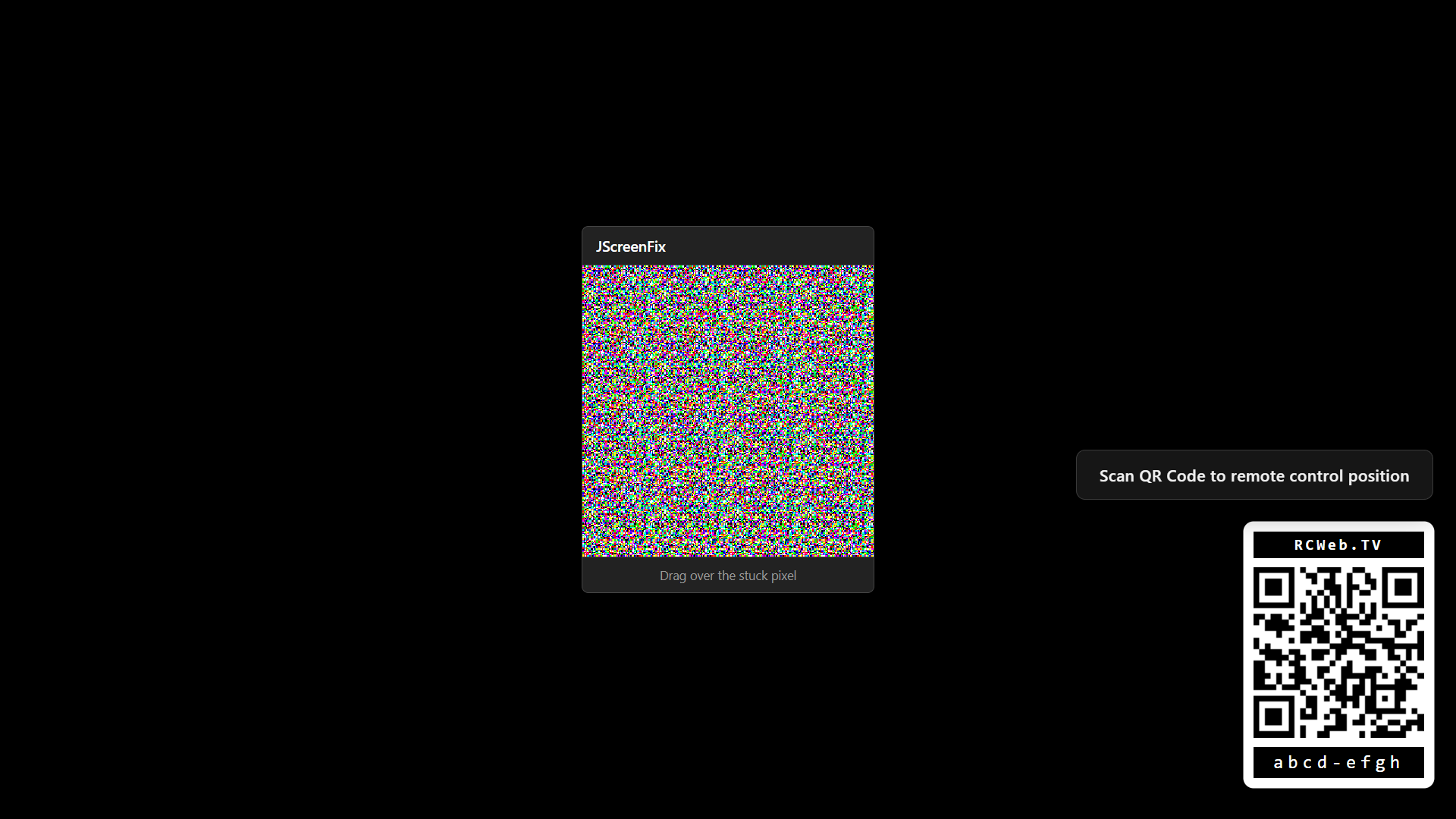
The Tool
The JScreenFix display application runs on the target TV screen that needs repair. It presents a pixel fixer window that can be dragged directly over the stuck pixel. To make positioning easier, especially on large displays or TVs, it integrates with a mobile remote control.
It automatically generates a QR code providing a direct link to the control interface. To ensure the QR code is always accessible, it dynamically repositions itself to the opposite corner if the pixel fixer window overlaps it.
How To Use
- Open rcweb.tv on the TV screen with the stuck pixel.
- Scan the QR Code displayed on the screen with your smartphone.
- Find JScreenFix in the app list and launch it.
- Use the controls on the phone to position the repair window over the stuck pixel.
- Keep the window over the affected area, then check whether the pixel has changed. Stop by leaving the app.