Flight Control

Turn your phone into the controls for Flight. Tilt to guide the aeroplane while watching the shared display.
Features
- Motion controls for pitch, roll and yaw.
- A Recenter Phone button for a comfortable neutral position and a fresh runway start.
- Live control readings and connection feedback.
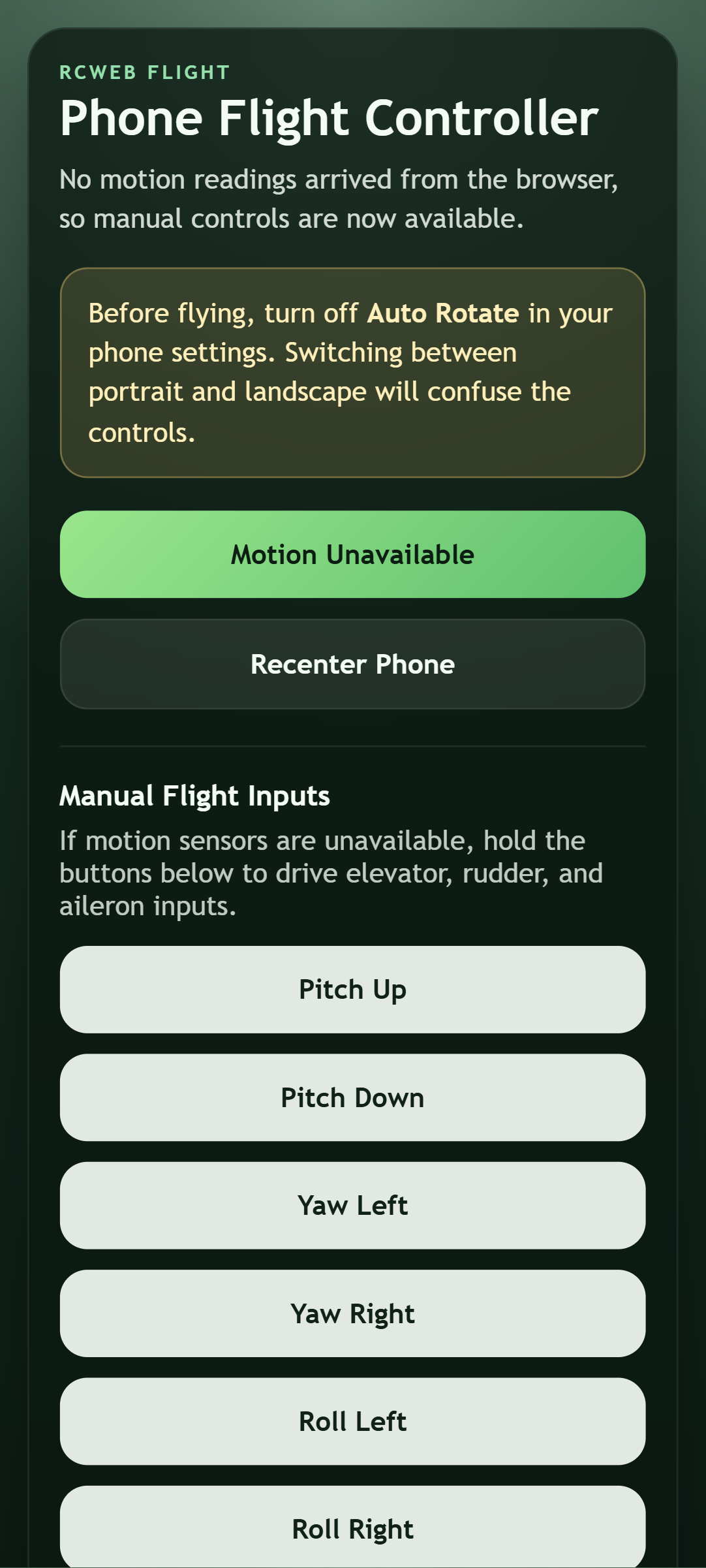
- Manual flight buttons when the browser cannot provide motion input.
Set up your phone
- Open Flight on the shared screen and scan its QR code.
- Turn off Auto Rotate in your phone settings and hold the phone in portrait.
- Tap Enable Motion. If asked, allow access to motion sensors.
- Hold the phone comfortably and tap Recenter Phone. Recentring also resets the plane on the runway.
Tilt forward/back for pitch, left/right for roll, and twist for yaw. Let the plane gain speed before raising its nose, and start with small movements.
If the screen rotates, return to portrait and recenter before continuing. If motion permission is denied or no readings arrive, use the manual Pitch, Yaw and Roll buttons instead. Hold a button to steer and release it to stop that input.
Screenshots