RCWeb News
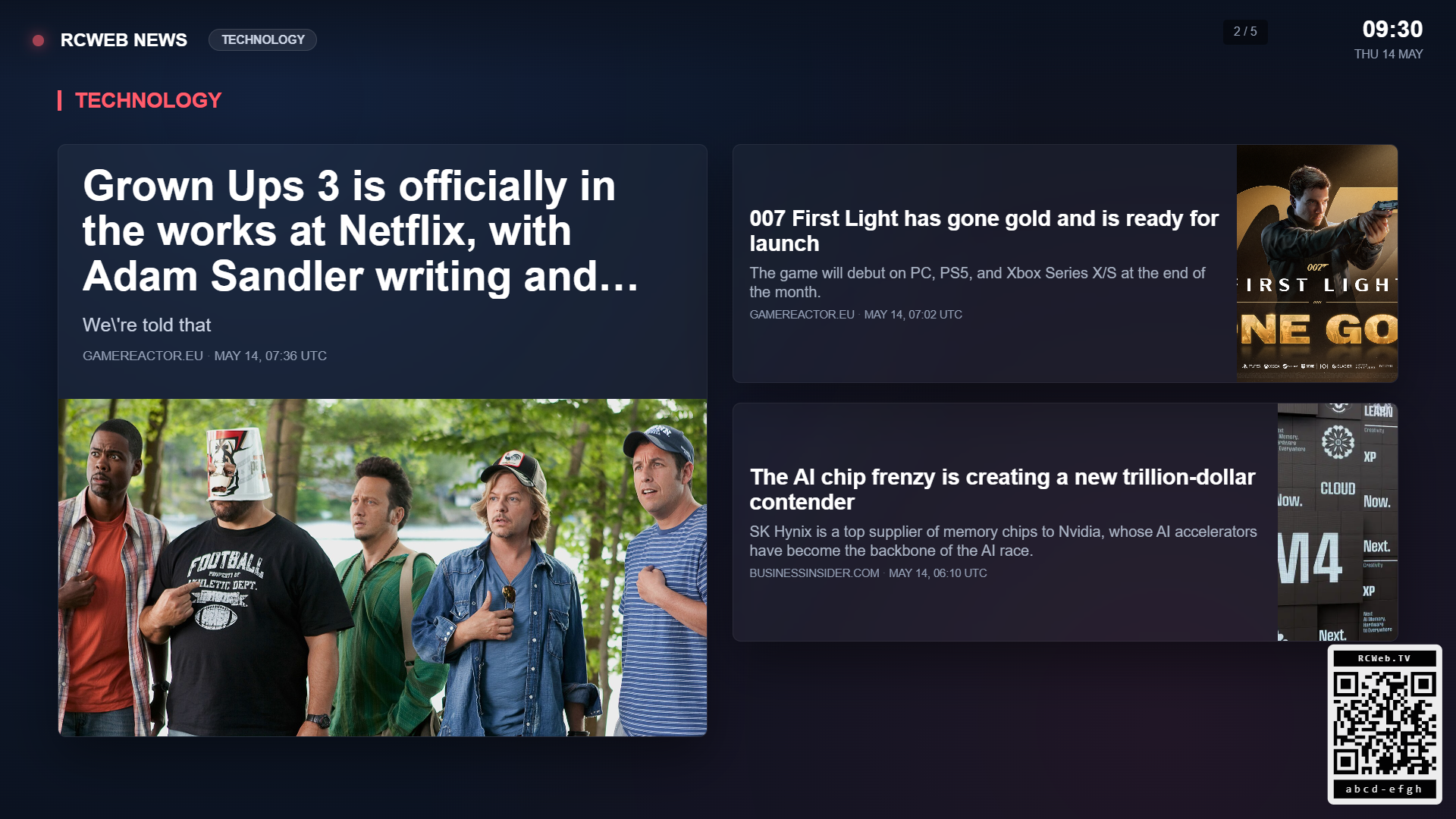
News turns any RCWeb display into a digital signage news board. The viewer pulls the latest headlines from thenewsapi.com and rolls through full-screen story cards by category. Each screen shows one hero article alongside two supporting stories.
Screenshot
Features
- A hero article with a large photo, headline, snippet, source and timestamp
- Two supporting stories from the same category
- A category badge, live indicator and room clock
- A QR code linking to the news-c phone control
The viewer cycles to the next screen every 14 seconds with a soft cross-fade. Tap the display, press space, or use the phone control to pause and resume. The arrow keys move between screens.
Categories
Every viewer can be configured to show one or more of these categories: general, tech, business, sports, entertainment, health, science, politics, food, and travel. The display remembers the selected categories in this browser.
The companion news-c phone control changes the active categories live without a page reload, and the viewer rebuilds its screens immediately.
Start the news board
Open News on your display and scan its QR code for News Control. Choose categories on the phone, then browse or pause. Use Refresh headlines to request fresh stories. Loading headlines and article images requires an internet connection.