RCWeb Music Player
The RCWeb Music Player (app/music-player) is the big-screen half of the RCWeb music player. It is designed for a TV, projector, monitor, kiosk browser, or any shared display in an RCWeb room.
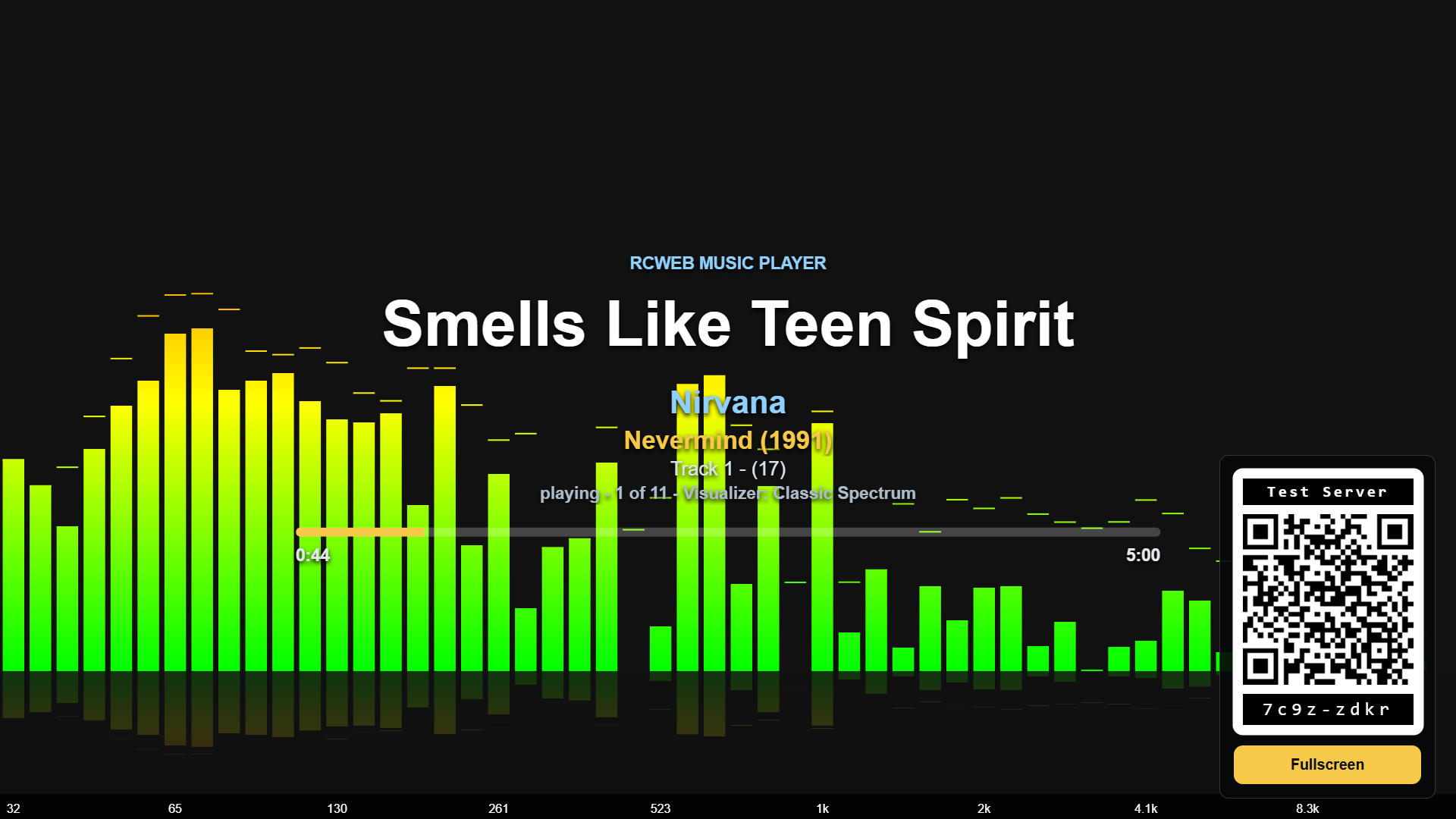
Screenshot
Overview
This app turns the browser into a room-controlled music visualization screen. The display plays audio files, renders a full-screen dynamic visualizer, presents a QR code for phones to join as controllers, and receives playback commands from one or more music-player-c apps in the same virtual room.
The viewer is designed to be visually engaging on a large screen: focusing on the audio visualizer, with track metadata, a progress bar, and QR code overlays that can be toggled remotely.
How to use
- Open
/music-player/on the display browser. - Scan the QR code with a phone, or manually open
/music-player-c/?r=<room>on another browser. - Select local audio files on the control app to build the queue.
- Use the phone controls to play, pause, seek, skip, reorder, loop, mute, change volume, or change visualizer styles.
- Tap the viewer screen to toggle fullscreen.
If the browser blocks automatic audio playback, the display shows an Enable Audio button. Pressing it gives the page the local user gesture browsers require before audio playback can start.
Features
- Plays audio files directly in the browser.
- Removes queued local files when the controller tab that supplied them disconnects or refreshes.
- Renders a responsive full-screen music visualizer with multiple presets (Classic Spectrum, LED Bands, Radial Bloom, etc.).
- Shows a QR code that opens the matching
music-player-capp in the same room. - Can hide or show the track title overlay, QR code, and stats overlay.
- Supports play, pause, seeking, previous, and next commands.
- Supports queue playback, item selection, item removal, queue clearing, and playlist reordering.
- Supports loop off, loop playlist, and loop current item.
- Supports mute and volume control from the control app.
- Shows diagnostic stats when enabled, including room, player state, volume, loop mode, queue size, and track details.
Related app
Use this app with RCWeb Music Player Controls (app/music-player-c).
Sharing a playlist
Keep the phone tabs that supplied local tracks open. Closing or refreshing a source tab removes those tracks from the queue. Track details such as title, artist and album appear when available.
Several displays and phones can share the room. A newly opened display can recover the queue from the devices still present; playback timing may differ between screens.