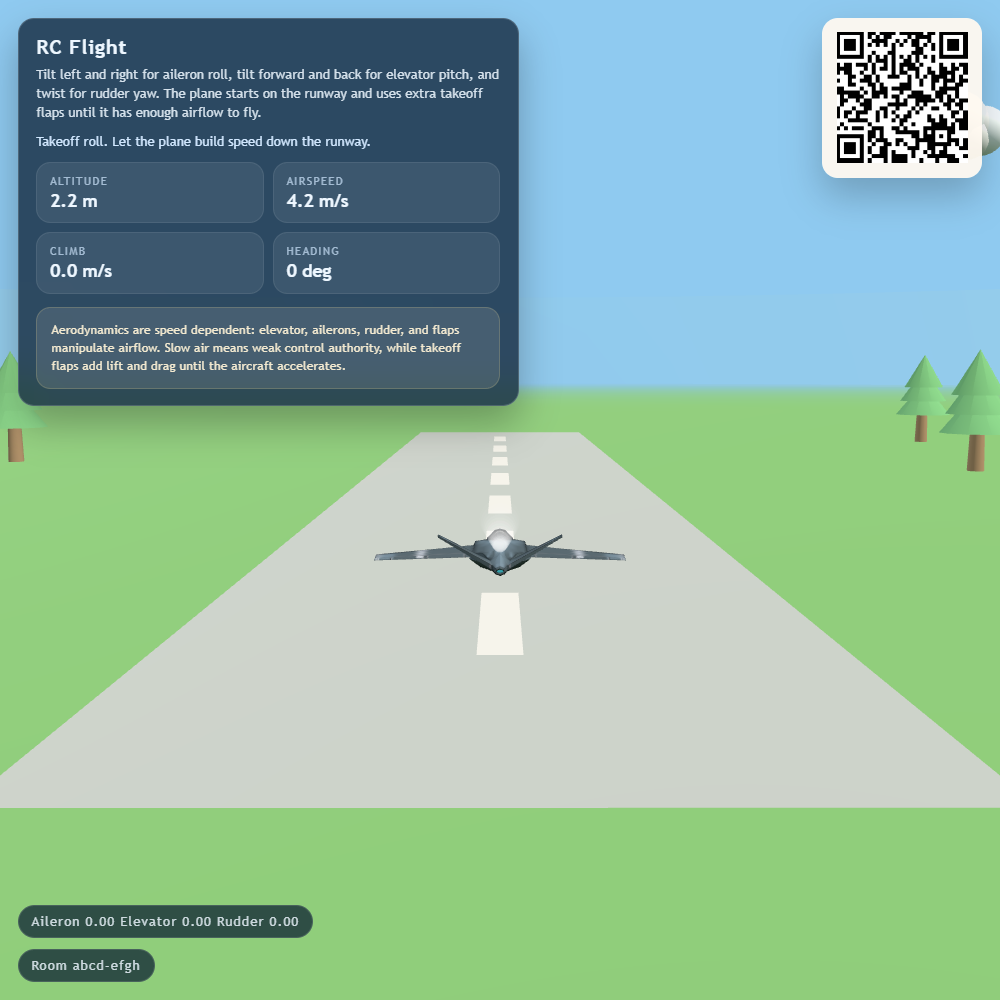
Flight

Fly a model aeroplane over a 3D landscape using your phone as the flight controls. Build up speed on the runway, lift off and practise gentle turns above the trees.
Features
- Phone tilt controls for pitch, roll and yaw.
- A runway start, automatic acceleration and takeoff flaps.
- Live altitude, airspeed, climb and heading readings.
- Trees, drifting clouds and crash effects, with an automatic reset after a crash.
- Manual phone buttons when motion controls are unavailable.
How to fly
- Open Flight on the main display and scan its QR code to open Flight Control.
- Turn off your phone's automatic screen rotation and hold it comfortably in portrait.
- Tap Enable Motion and allow motion access if asked. Use Recenter Phone while holding a neutral position; this also resets the aeroplane on the runway.
- Let the plane accelerate, then tilt gently to raise the nose and take off.
- Tilt forward or back for pitch, left or right for roll, and twist the phone for yaw.
Use small movements and watch the airspeed. Pulling up too sharply or flying too slowly can lead to a stall and crash. After a crash, wait for the plane to reset or recenter to start again.
If motion is unavailable, the phone shows buttons for pitch, yaw and roll. Hold a button to apply that input and release it to return to neutral.
Screenshots