Ectobounce Controller

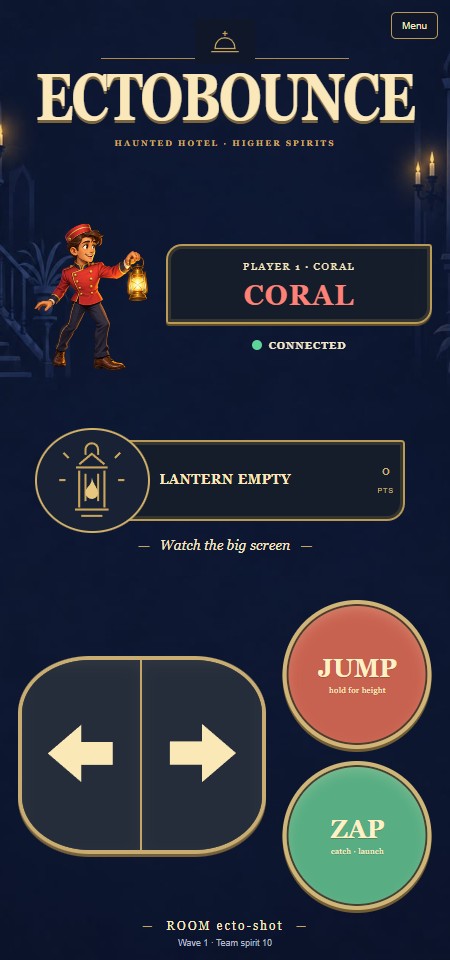
Use your phone as a lantern controller for Ectobounce on the shared screen. Move, jump, capture ghosts and launch them through the haunted hotel with up to five friends.
Features
- Large movement, Jump and Zap/Launch buttons.
- Your matching player colour/number, score and lantern state.
- An illustrated guide and editable name in Menu.
- Multitouch controls, optional vibration and reconnect feedback.
Join and play
Scan the Ectobounce display's QR code. The first connected player is captain and can start or pause through Menu. New players join the current wave if a place is free; a seventh player waits.
Hold left/right to move. Hold Jump for a higher jump, or release early for a shorter hop. Zap stuns a nearby ghost; move into it with an empty lantern to catch it. The button changes to Launch: fire within five seconds, aiming by facing left or right.
Flying as a spirit
Jump becomes Up and Zap becomes Down. Hold these with left/right to fly diagonally through platforms toward a teammate for rescue. On a keyboard use arrows or WASD; Space flies up and X/Z flies down.
Names, reconnecting and replay
Use Menu → Your name to change your name without losing your score or place. Names have a 16-character limit; clearing the field restores the colour name.
A quick refresh or reconnect resumes your player within the 20-second return window. Opening a new controller tab creates a separate player. Any joined controller can choose Play again after victory or defeat. Sound is enabled and played on the main display.