RCWeb Audience Q&A Control
Ask questions and vote for the ones you want answered on the shared Audience Q&A display.
Open it by scanning the QR code shown on /qanda/, or by visiting /qanda-c/?r=<room> with the same room ID as the display.
Features
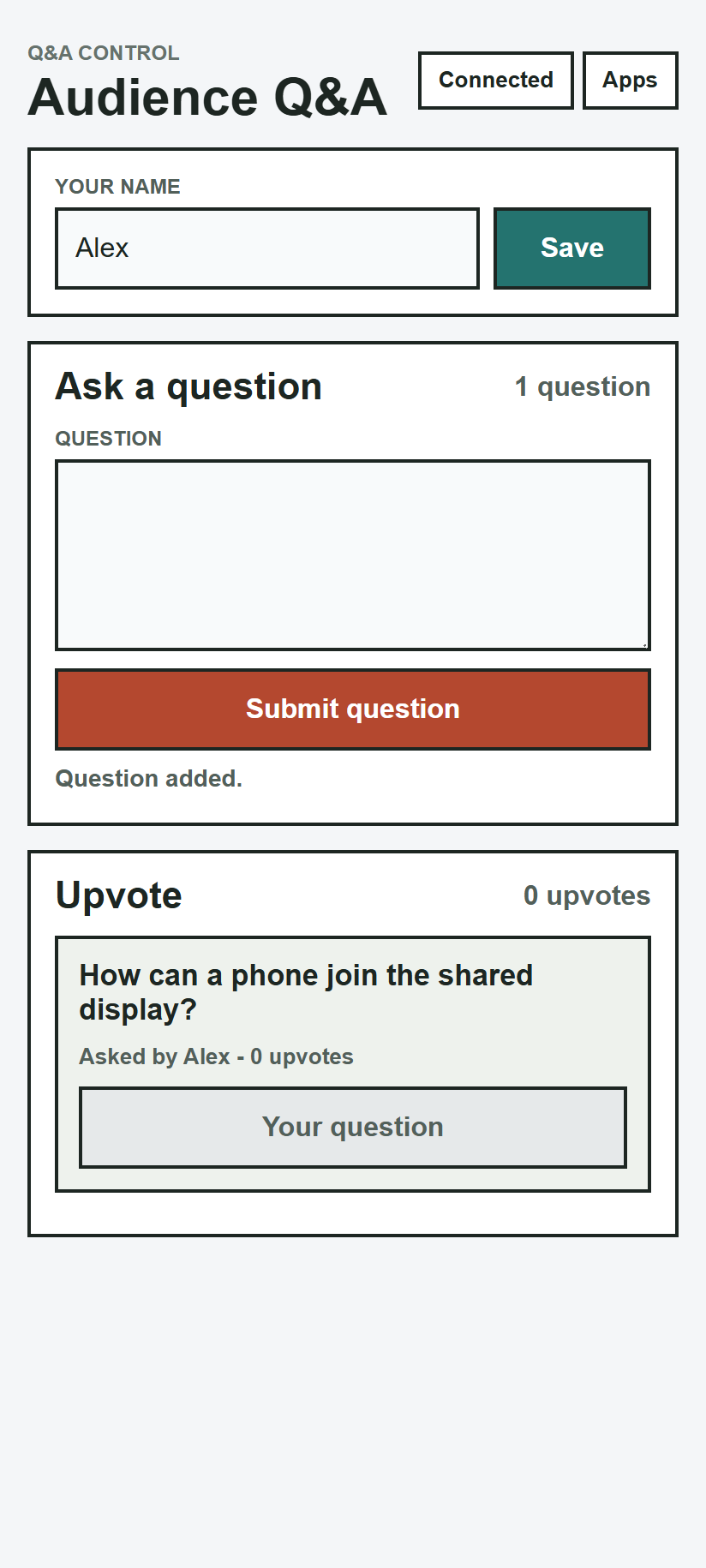
The control screen is optimized for portrait phone use. It shows:
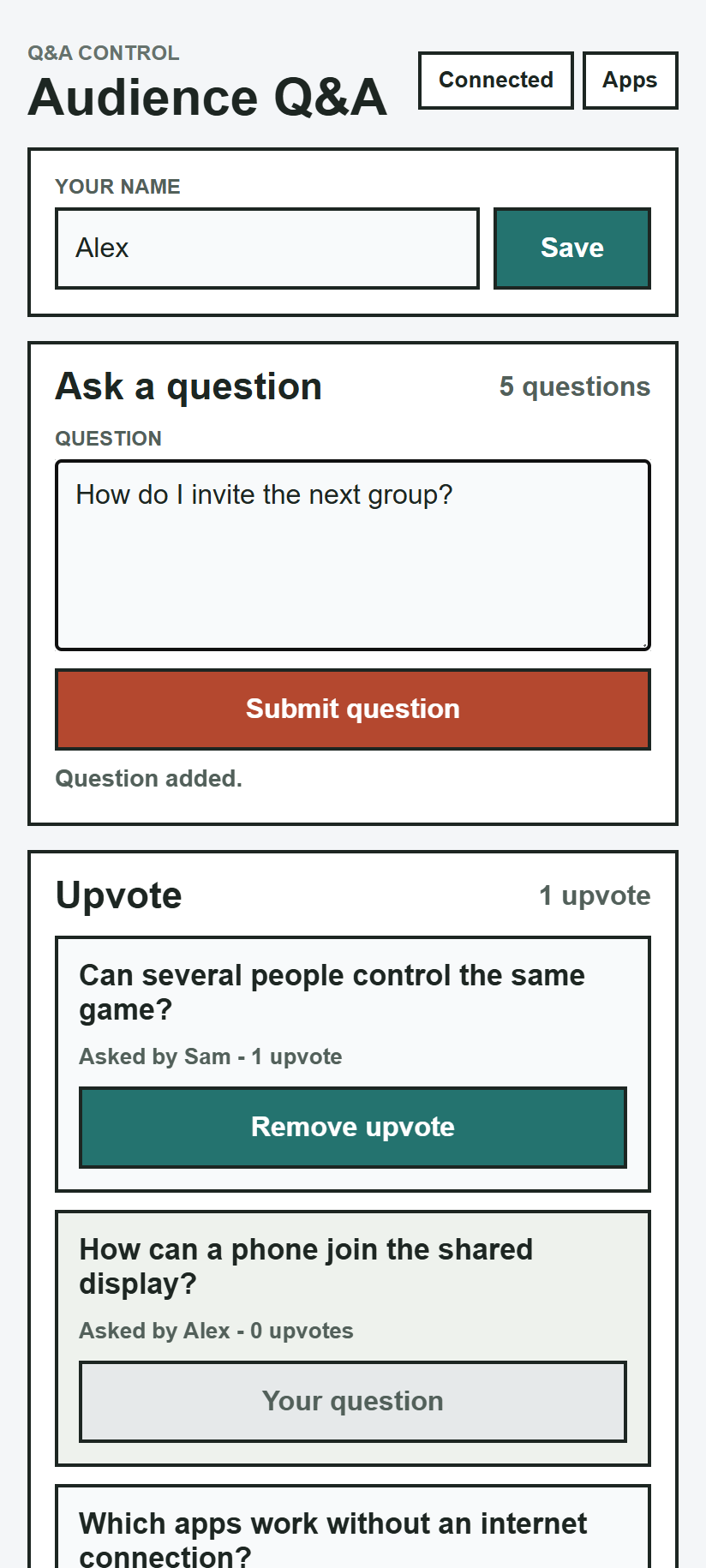
- Your saved RCWeb name, ready to edit.
- A question submission form.
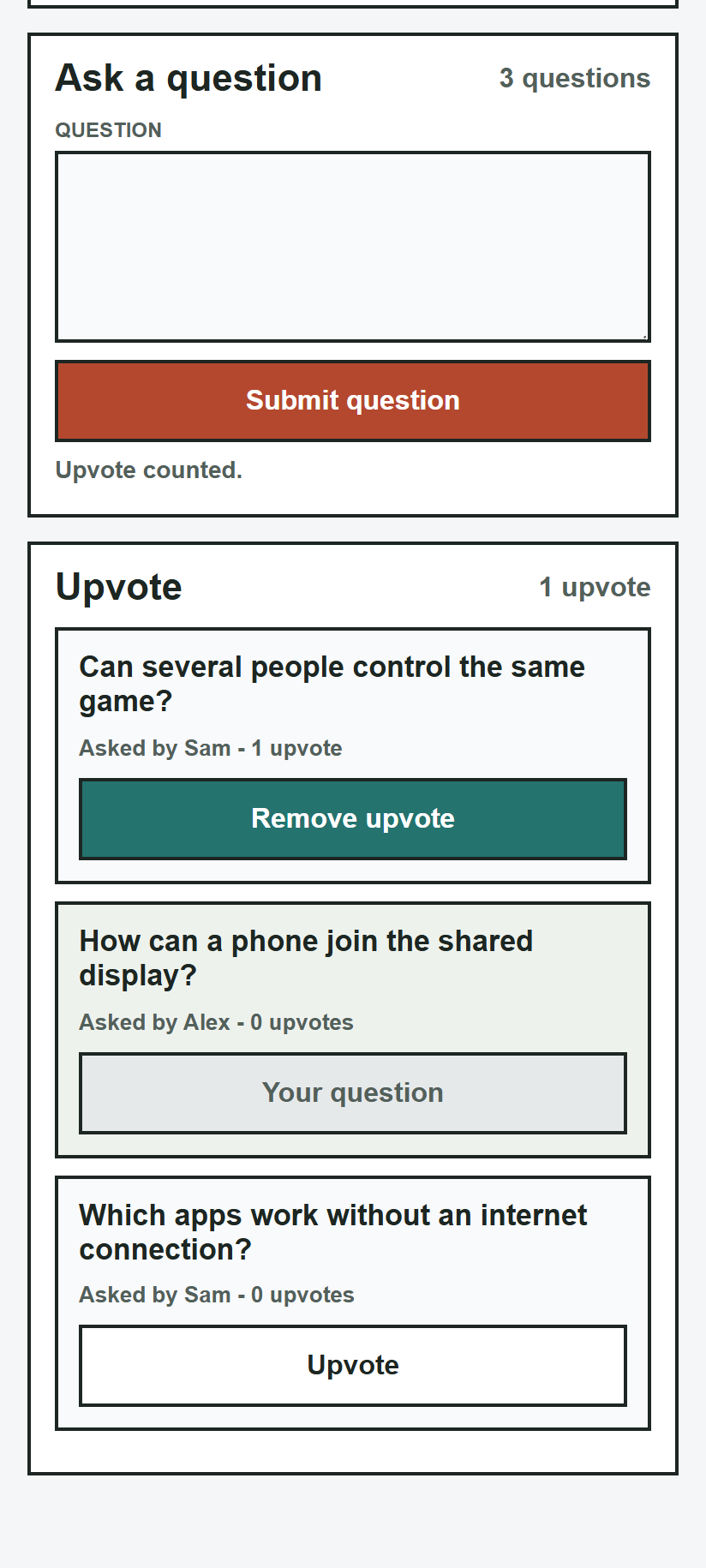
- A live list of submitted questions.
- Upvote buttons for questions from other participants.
- Disabled states for your own questions and selected states for questions you have already upvoted.
- Connection and submission status messages.
Screenshots
Ask and vote
Scan the display's QR code, enter your name and type a question. Tap Submit question. Names can be up to 32 characters and questions up to 220 characters. Changing your name updates it on your existing questions.
Upvote another person's question to move it up the list, or tap Remove upvote to undo your vote. You cannot upvote your own questions. Renaming yourself does not reset votes.
Keep the shared display open. Reconnecting restores its current questions; refreshing the display starts a new session.