RCWeb Quiz
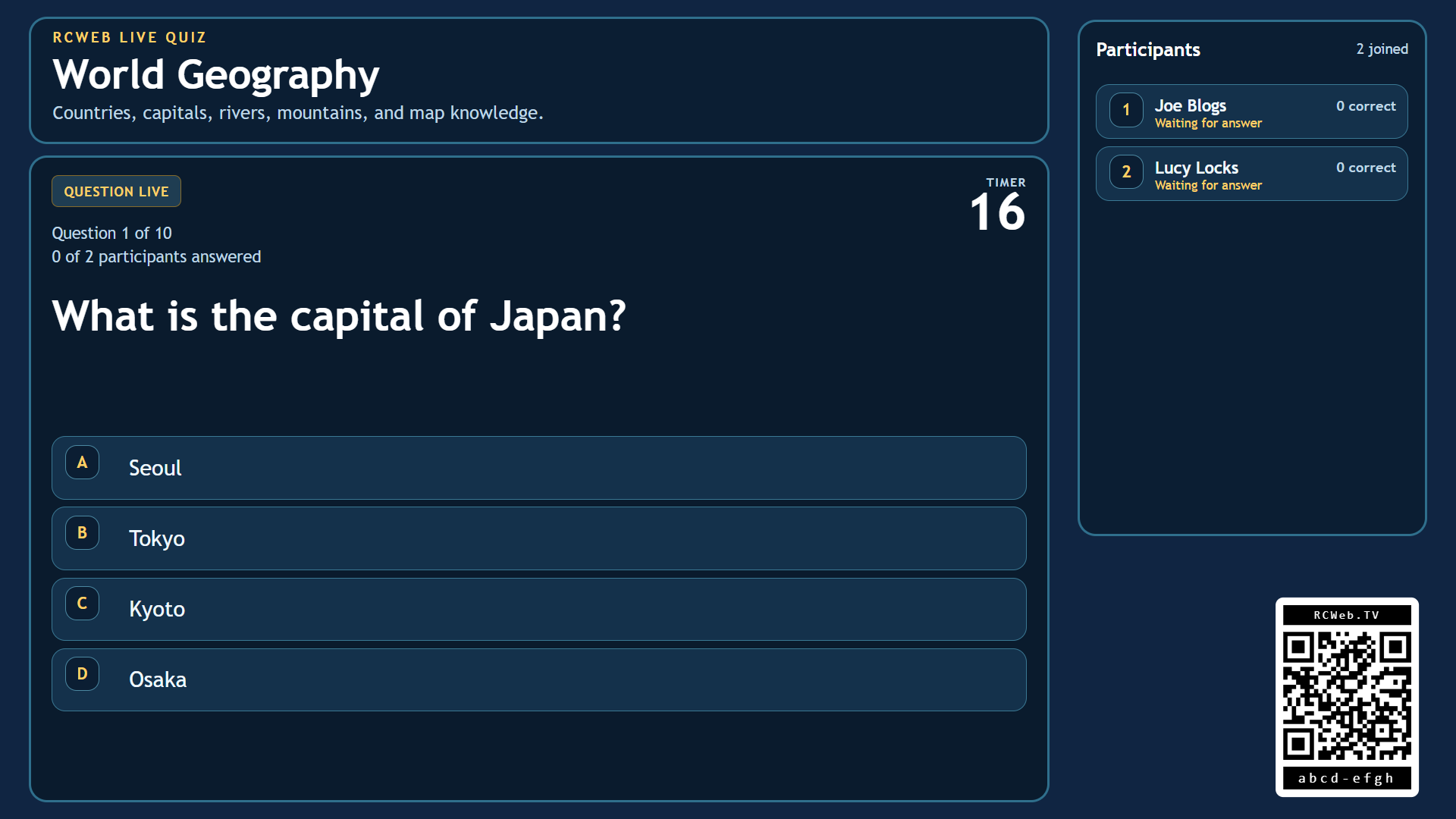
Quiz is a shared-screen live trivia game for RCWeb. The main display becomes the host board for the current question, countdown, answer reveal, and leaderboard, while each player's phone becomes their personal answer pad.
It is built for casual room play: open the display on a TV, projector, laptop, or large monitor, let players scan the QR code, and start answering together. The pace stays brisk because each question runs on a timer and the display can move on as soon as everyone active has answered.
Features
- Timed multiple-choice questions and shared standings.
- One point per correct answer.
- Automatic progression between quiz packs.
Screenshot
The Game
Quiz is a room-based multiple-choice quiz with a shared display and private phone answers. The display shows the current question, answer progress, countdown timer, round reveal, and final rankings. Phones stay clean and personal: players join with a name, choose an option on their own screen, and see whether they were right when the answer is revealed.
Each quiz pack can define its own title, description, and question list. A pack is loaded onto the display, then the game runs through the questions in order. Every correct answer scores 1 point. At the end of the pack, the display shows the ranked leaderboard before the room automatically rolls on to the next quiz set.
How To Play
Open /quiz/ on the shared screen. Players scan the QR code to open /quiz-c/ on their phones in the same room, enter a name, and join the session.
When a question appears, each player chooses one answer on their phone. Players can change their choice while the question is still open, so quick guesses are allowed but not locked in until the round ends.
Each question stays live for up to 30 seconds, but the display can move on sooner if every active player has already answered. When the round closes, the correct answer is shown on the display and the phones reveal who got the point.
After the final question, the display shows the leaderboard for the completed quiz. The room then waits briefly and automatically loads the next quiz pack in sequence, making it easy to keep a quiz night running without manual reset between sets.